Understanding how to make stickers has become increasingly valuable for students, creatives, and small business owners. Stickers are no longer limited to childhood collections; they now serve as functional tools for journaling, branding, and digital planning.
By designing your own, you:
-
Personalize planners, journals, or digital notes.
-
Save costs while creating exactly what you want.
-
Build a scalable product line for platforms like Etsy or Gumroad.
-
Moreover, stickers bridge creativity and utility—they can be fun, decorative, and income-generating all at once.
ChatGPT for Concepts and Prompts
The first step in learning how to make stickers is idea generation. Tools like ChatGPT can help you:
-
Develop design themes such as minimalist icons, motivational quotes, or character art.
-
Create detailed prompts for AI art generators (e.g., “A pastel watercolor cactus with bold sticker outline”).
-
Brainstorm complete sticker packs around study habits, productivity, or hobbies.
-
This approach ensures you start with strong, structured concepts before moving to design tools.
Playground for Instant Designs
Playground is a free, beginner-friendly platform ideal for producing ready-to-use sticker art. With Stable Diffusion models, you can generate sticker designs that already include outlines or transparent backgrounds—essential features for sticker printing.
Steps include:
-
Writing a clear, descriptive prompt.
-
Selecting a sticker-friendly style (flat, bold outlines).
-
Downloading PNGs with transparent backgrounds.
This tool simplifies the technical side, allowing you to focus on creativity.
For a deeper, step by step walkthrough, check out this helpful video tutorial: How to create Digital Stickers, Design Mockups & Sell on Etsy by Design Made Clear. It visually demonstrates how to navigate the apps menu, select the sticker tool, input prompts and instantly generate creative designs ready to personalize.
https://www.youtube.com/watch?v=Jg1KuXPZBPw
Lovart for Professional Sticker Artwork
For creators who value a polished, professional look, Lovart delivers outstanding results. It excels in producing:
-
High-quality illustrated designs.
-
Stickers with clean edges and transparent backgrounds.
-
Cohesive packs suited for digital planners or print.
Lovart’s aesthetic finish makes it a favorite among Etsy sellers aiming to create market-ready products
Canva for Polished Sticker Sheets
Once you’ve generated individual designs, Canva is the best tool to arrange them into printable or digital sheets. Its grid and template features allow you to:
-
Compile sets of stickers in one file.
-
Prepare print-optimized PDFs at 300 DPI.
-
Create digital sticker packs for apps like GoodNotes, Notability, and Xodo.
-
Steps to Create Stickers in Canva:
-
Click on Apps from the left-hand menu.
-
Search for Stickers in the app search bar.
-
Enter your prompt or design idea.
-
Click Generate and wait a few seconds.
-
Voilà — your stickers are ready to use!
-
Printing vs. Digital Stickers
The choice between printed and digital stickers depends on your audience.
-
Digital: are eco-friendly, reusable, and widely used by students and professionals in apps like GoodNotes.
-
Printed: offer tactile satisfaction and are ideal for journaling, scrapbooking, or physical planners.
If you’re starting a shop, offering both formats maximizes your reach. A printer, sticker paper, or a cutting machine (like Cricut) will be needed for physical products.
Conclusion: From Hobby to Side Hustle
Learning how to make stickers is more than a fun hobby—it’s a practical skill with real-world applications. With tools like ChatGPT, Playground AI, Lovart, and Canva, anyone can design stickers that look professional and serve diverse purposes.
Whether you’re creating for personal use, academic organization, or commercial sale, the process is accessible and rewarding. Start small with a single theme, refine your designs, and scale up into full collections.
In today’s digital economy, even something as simple as a sticker can become a meaningful expression of creativity—or the foundation of a thriving side business.
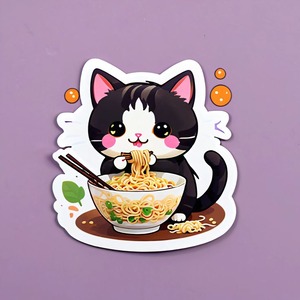
Created in Canva, Lovart and Playground AI:

If you like journaling, check out our digital planners as well.